Disclosure: As an Amazon Associate we earn from qualifying purchases. This post contains affiliate links — if you buy through one, we may earn a small commission at no extra cost to you. Our product picks focus on items we can link to, so we may not cover every option on the market. See our About page for how we choose them.
Why Is My Streaming App Buffering? Common Fixes
Buffering is one of the most frustrating parts of streaming, especially when you’ve settled in for the evening with a licensed service like RTÉ Player, Sky Stream, Virgin Media TV, or a subscription app such as Netflix or Disney+. The good news is that most buffering problems come down to a handful of common causes, and many are easy to fix yourself before you need to contact your provider.
Check Your Broadband Speed First
Streaming quality depends heavily on your broadband connection. As a rough guide, standard-definition streaming typically needs a few Mbps, HD content is generally more comfortable at around 10–15 Mbps, and 4K streaming usually wants considerably more, often 25 Mbps or higher. These figures vary by service, so it’s worth checking the specific app’s help pages for exact recommendations, as I don’t want to state numbers that may have changed.
Run a speed test using your phone or laptop connected to the same network as your streaming device. If your speeds are well below what your plan promises, contact your broadband provider, as there may be a line fault or network congestion in your area.
Wi-Fi Placement Matters More Than You’d Think
A lot of buffering issues aren’t actually about your broadband speed at all, but about how well your Wi-Fi signal reaches your TV or streaming device. Routers tucked away in a hallway cupboard, behind the TV unit, or on the floor tend to give a weaker signal than routers placed centrally and at height.
Thick walls, especially older stone or concrete walls common in many Irish homes, can noticeably reduce Wi-Fi strength. If your streaming device is in a different room to the router, or separated by multiple walls, that’s a likely culprit. Moving the router to a more central location, or investing in a mesh Wi-Fi system, can make a real difference.
Wired Ethernet vs Wi-Fi
If buffering persists, a wired Ethernet connection is generally more reliable than Wi-Fi. Many smart TVs, streaming boxes, and set-top boxes have an Ethernet port, and running a cable directly from your router removes wireless interference from the equation entirely.
This isn’t always practical, particularly if your TV is nowhere near your router, but even a short-term test with a long Ethernet cable can help you diagnose whether Wi-Fi is the problem. If buffering disappears with a wired connection, you know the issue lies with your wireless setup rather than your broadband plan or the streaming app itself.
Other Devices Competing for Bandwidth
Streaming buffering often coincides with other household activity, such as someone else downloading large files, gaming online, or several people streaming video simultaneously. If buffering tends to happen in the evening when everyone is home, this is worth considering. Some routers allow you to prioritise traffic for a specific device, though the exact menu wording and options vary by router manufacturer.
When It’s the App or Service, Not Your Connection
Sometimes the issue genuinely isn’t your broadband or Wi-Fi at all. If one specific app buffers constantly while others run smoothly, the problem may be with that app or the streaming service’s servers.
A few things to check:
- Restart the app fully, rather than just backgrounding it.
- Update the app to the latest version, as older versions can have bugs affecting playback.
- Restart your streaming device or smart TV, since these accumulate temporary glitches over time just like any computer.
- Check the service’s official status or support page, as some providers post updates when there are known outages or server issues affecting playback quality.
If buffering only happens with a particular show or during peak evening hours across the country, that can point to server-side congestion on the provider’s end rather than anything on your home network.
A Simple Process of Elimination
When troubleshooting, it helps to change one thing at a time. Test your speed, then try moving closer to the router, then try a wired connection, then try a different app. This step-by-step approach makes it much easier to pinpoint whether the fault lies with your broadband, your home Wi-Fi setup, or the streaming service itself, rather than guessing at fixes.
Related guides: Why Does NOW Keep Buffering on Smart TVs? · NOW Streaming Stick Review: Is It Better Than Using a Smart TV App?
Recommended for This Guide
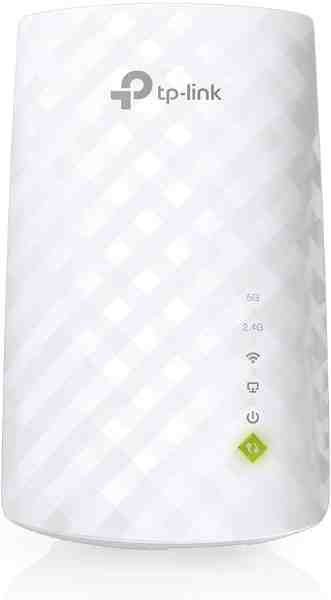
Wi-Fi Range Extender
The most common fix for streaming boxes that are too far from the router — extends your signal without a full mesh system.
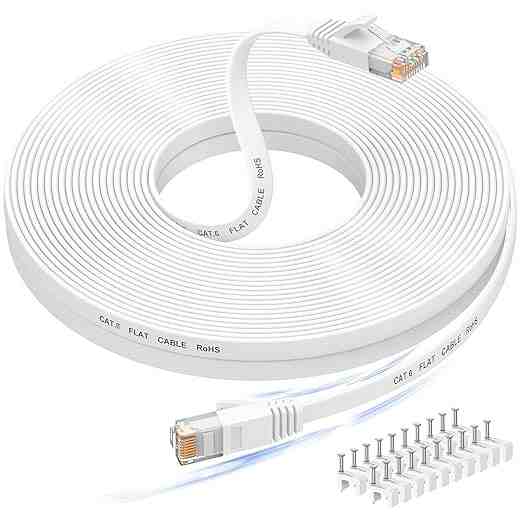
Long Ethernet Cable
A wired connection eliminates Wi-Fi buffering entirely if you can run a cable to your streaming device.
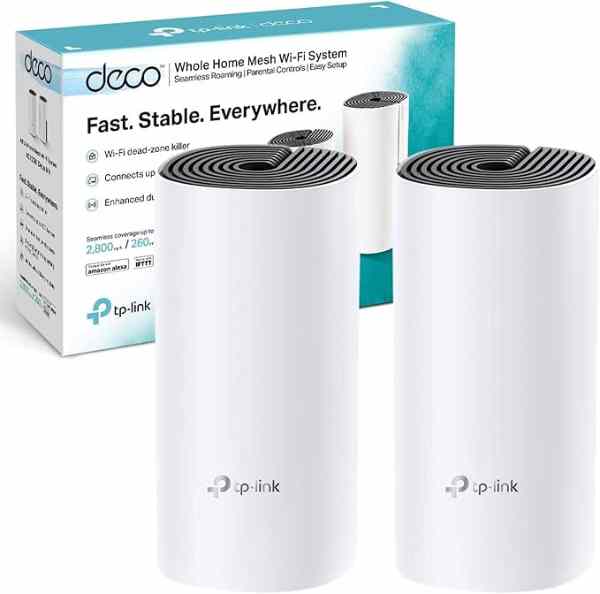
Mesh Wi-Fi System (2-pack)
For persistent buffering across multiple rooms, a mesh system solves it more thoroughly than a single extender.
As an Amazon Associate we earn from qualifying purchases. We may earn a small commission at no extra cost to you. Learn more.