Disclosure: As an Amazon Associate we earn from qualifying purchases. This post contains affiliate links — if you buy through one, we may earn a small commission at no extra cost to you. Our product picks focus on items we can link to, so we may not cover every option on the market. See our About page for how we choose them.
Why Does NOW Keep Buffering on Smart TVs?
If you’ve settled in for a match or a movie on NOW and the little spinning wheel keeps popping up, you’re not alone. Buffering on smart TVs is one of the most common complaints among Irish streaming fans, and it’s rarely down to just one thing. Below we’ll go through the usual suspects and how to fix them.
Check Your Broadband Speed First
NOW recommends a minimum broadband speed for streaming, and while we won’t quote an exact figure here (it varies by content type and has changed over time, so check NOW’s own help pages for the current recommendation), a good rule of thumb is that anything under about 10Mbps will struggle with HD content, especially during peak evening hours when everyone in the house is online.
Run a speed test on a device connected to the same network as your TV. If your speeds are well below what your broadband package promises, it might be worth contacting your provider, as there could be a line fault or congestion issue on their end rather than anything to do with NOW itself.
Wi-Fi Signal Strength Matters More Than You Think
Smart TVs are often tucked into media units, behind other electronics, or on the far side of the room from the router. All of this weakens the Wi-Fi signal reaching the TV, even if your broadband itself is fine.
If your TV is more than one or two rooms away from your router, a Wi-Fi range extender can make a real difference by boosting the signal directly in the room where you’re watching. For larger or older houses with thick walls, a mesh Wi-Fi system tends to give more consistent coverage throughout the whole house rather than just patching one weak spot.
Consider a Wired Connection
Wherever possible, a wired connection will always be more stable than Wi-Fi for streaming. Most smart TVs and streaming devices have an Ethernet port, and running a long Ethernet cable from your router to your TV removes Wi-Fi interference from the equation entirely. This is particularly worth trying if buffering happens at the same time every evening, which often points to network congestion rather than a NOW-specific issue.
Update the NOW App and Your TV’s Software
Smart TV apps, including NOW, get updated periodically to fix bugs and improve performance. An outdated app version can cause playback issues that have already been fixed in a newer release. Check your TV’s app store (the exact menu wording varies by brand, so look for something like “Apps” or “My Apps” in your TV’s settings) to see if an update is available.
It’s also worth checking for a general software update on the TV itself, as manufacturers occasionally release firmware updates that improve streaming app stability.
Clear the App Cache or Reinstall
Over time, cached data can build up and cause apps to behave oddly. Most smart TV platforms let you clear an app’s cache from the settings menu, though the exact steps differ between LG, Samsung, and other brands. If clearing the cache doesn’t help, uninstalling and reinstalling the NOW app often resolves persistent buffering, since it forces a completely fresh copy of the app onto your TV.
Try a Dedicated Streaming Device
If your smart TV is a few years old, its built-in processor and apps may simply not be able to keep up with newer streaming demands, even with a great connection. In this case, plugging in a dedicated streaming device like a Fire TV Stick, Fire TV Cube, Roku, or Chromecast can bypass your TV’s ageing internal hardware and often gives a noticeably smoother NOW experience.
Rule Out Peak-Time Congestion
Finally, if buffering only happens in the evenings between roughly 6pm and 10pm, this could simply be peak-time congestion on your broadband network rather than anything wrong with your setup. Contacting your internet provider to ask about traffic management during these hours can clarify whether this is a widespread issue in your area.
Recommended for This Guide
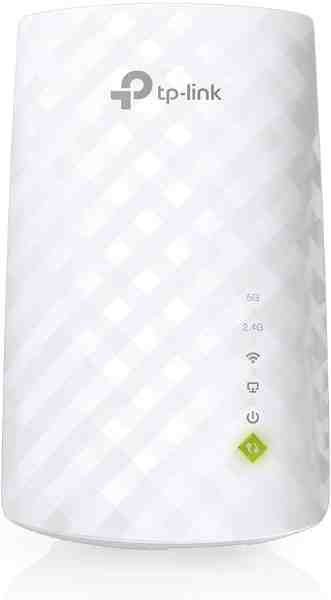
Wi-Fi Range Extender
The most common fix for streaming boxes that are too far from the router — extends your signal without a full mesh system.
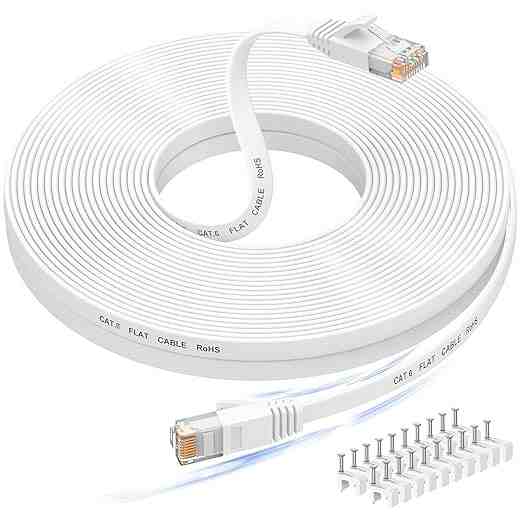
Long Ethernet Cable
A wired connection eliminates Wi-Fi buffering entirely if you can run a cable to your streaming device.
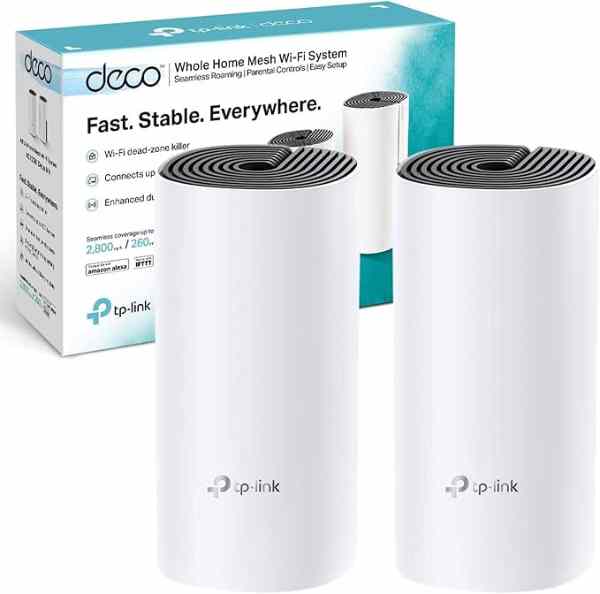
Mesh Wi-Fi System (2-pack)
For persistent buffering across multiple rooms, a mesh system solves it more thoroughly than a single extender.
As an Amazon Associate we earn from qualifying purchases. We may earn a small commission at no extra cost to you. Learn more.