Disclosure: As an Amazon Associate we earn from qualifying purchases. This post contains affiliate links — if you buy through one, we may earn a small commission at no extra cost to you. Our product picks focus on items we can link to, so we may not cover every option on the market. See our About page for how we choose them.
Google stopped selling the Chromecast with Google TV in 2024, but existing ones still run all the main Irish apps. These fixes also apply to its replacement, the Google TV Streamer.
Why Chromecast with Google TV Acts Up in Irish Homes
Chromecast with Google TV is a handy, affordable way to get Netflix, RTÉ Player, and other streaming apps onto an older television. But plenty of Irish users run into the same handful of niggles after setup - the remote won’t pair, the stream buffers constantly, or an app crashes the moment it opens. Most of these issues come down to a small number of causes, and nearly all of them are fixable without contacting support.
This guide walks through the most common problems room by room, starting with the network itself, since that’s where the majority of streaming headaches actually begin.
It’s Usually the Wi-Fi, Not the Device
Irish homes are often built with thick stone or concrete walls, which play havoc with Wi-Fi signal strength. If your Chromecast is in a sitting room at the far end of the house from the router, that’s frequently the real culprit behind buffering, pixelation, or the device dropping off the network entirely.
Before assuming the Chromecast itself is faulty, try moving your router closer to the TV, or temporarily test the Chromecast in the same room as the router. If performance improves dramatically, signal strength is your issue rather than a software fault.
A Wi-Fi range extender is often the simplest fix here - plug it in roughly halfway between the router and the TV, and it will rebroadcast the signal into the room where your Chromecast lives. For larger or multi-storey homes, a mesh Wi-Fi system tends to give more consistent coverage throughout the house, since it uses multiple access points rather than a single extended signal.
If your router is anywhere near the TV, running a long Ethernet cable to a compatible adapter can eliminate Wi-Fi issues altogether, since a wired connection doesn’t suffer from interference or distance the way wireless does.
Fixing Remote Pairing Problems
A Chromecast remote that won’t pair is one of the most common complaints. A few things usually solve it:
- Make sure the Chromecast is fully plugged in and the TV is on the correct HDMI input before attempting to pair.
- Hold the back and left buttons on the remote together for roughly ten seconds to force pairing mode. The exact button combination can vary slightly depending on the remote revision, so it’s worth checking the on-screen prompt if one appears.
- Replace the batteries even if they seem fine - low battery voltage is a surprisingly frequent cause of pairing failure.
- If pairing still fails, unplug the Chromecast for thirty seconds, plug it back in, and try again once it fully reboots.
When the Remote Pairs But Buttons Lag
If the remote connects but feels sluggish or unresponsive, this is often a Bluetooth interference issue rather than a fault with the remote itself. Other Bluetooth devices nearby - speakers, headphones, smart home hubs - can crowd the same frequency. Try turning off unused Bluetooth devices near the TV and see if responsiveness improves.
Apps Crashing or Freezing
App crashes are almost always one of three things: a poor internet connection, insufficient storage, or a cache issue within the app itself.
Start with the basics: check for pending Google TV software updates, since streaming apps are frequently built against a specific system version and can misbehave on outdated firmware. Next, go into the settings and clear the cache for the problem app rather than uninstalling it outright, as this often resolves crashes without losing your saved logins.
If crashes happen specifically during peak evening hours, this points back to network congestion rather than the app itself - a common issue on shared broadband connections in Irish estates and apartment blocks where many households are streaming simultaneously.
Comparing Notes with Other Devices
If you’ve tried everything above and Wi-Fi range remains a persistent issue, it’s worth knowing that not all streaming devices handle weak signals equally. Devices like the Fire TV Stick, Fire TV Cube, and Roku each have slightly different Wi-Fi antenna designs, and some users find one performs noticeably better than another in a particular room. There’s no universally “best” option here - it genuinely depends on your home’s layout and router placement.
When to Consider a Factory Reset
If problems persist across multiple apps and a stable wired connection, a factory reset is a reasonable last step. This wipes all settings and installed apps, so you’ll need to sign back into each streaming service afterwards. It’s a genuine fresh start and often clears up issues that seemed unrelated to the network entirely.
Related guides: How to Fix Common Sky Stream Remote and Pairing Issues · Why Is My Streaming App Buffering? Common Fixes
Recommended for This Guide
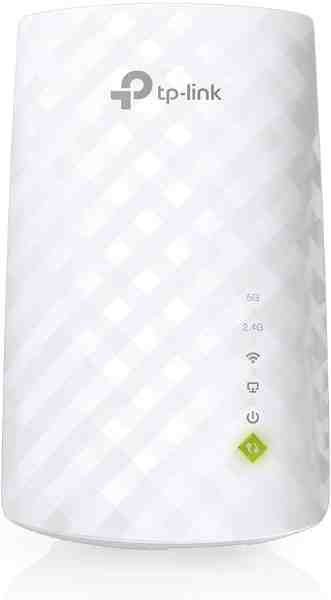
Wi-Fi Range Extender
The most common fix for streaming boxes that are too far from the router — extends your signal without a full mesh system.
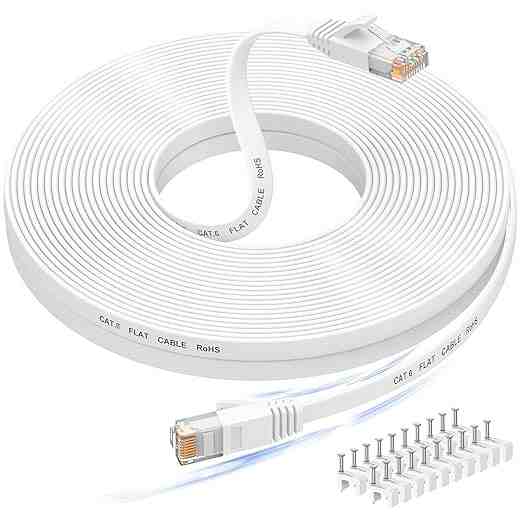
Long Ethernet Cable
A wired connection eliminates Wi-Fi buffering entirely if you can run a cable to your streaming device.
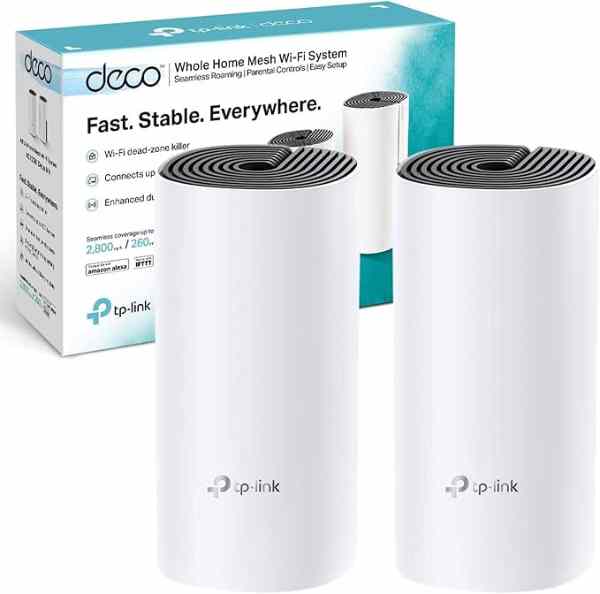
Mesh Wi-Fi System (2-pack)
For persistent buffering across multiple rooms, a mesh system solves it more thoroughly than a single extender.
As an Amazon Associate we earn from qualifying purchases. We may earn a small commission at no extra cost to you. Learn more.