
Disclosure: As an Amazon Associate we earn from qualifying purchases. This post contains affiliate links — if you buy through one, we may earn a small commission at no extra cost to you. Our product picks focus on items we can link to, so we may not cover every option on the market. See how we make money and how we choose them.
Buffering on Apple TV+ is almost always down to your home network, your streaming device, or a background app setting rather than Apple TV+ itself. Working through a few simple checks will usually sort it out without needing to contact anyone.
Check Your Broadband Speed First
Before blaming the app, it’s worth confirming your broadband is actually performing as expected. Apple generally recommends a stable connection of at least 8-10 Mbps for HD streaming and considerably more for 4K HDR content, though you should check Apple’s current support pages for the exact figures as these can change.
Run a speed test on the device you’re watching on, ideally over Wi-Fi rather than on a separate laptop, since that gives a more accurate picture of what your streaming device is actually experiencing. If your speeds are consistently below what’s needed, the issue may sit with your broadband plan or provider rather than Apple TV+ itself.
Time of Day Matters
Irish broadband, particularly on older DSL or fixed wireless connections, can slow down during peak evening hours when more households are online. If buffering only happens between 6pm and 10pm, congestion on your line or local network is a likely culprit rather than anything wrong with the app.
Wi-Fi Signal and Placement
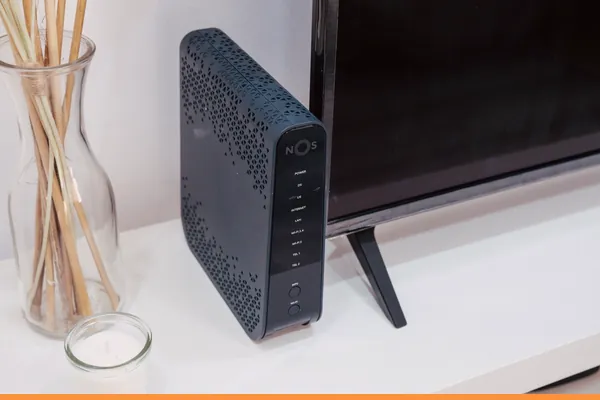
A weak Wi-Fi signal is one of the most common causes of buffering, especially if your router is on a different floor or at the far end of the house from your TV. Smart TVs and streaming boxes often have less sensitive Wi-Fi antennas than phones or laptops, so a connection that feels fine on your mobile might still struggle on the television.
Moving the router closer, or adding a Wi-Fi Range Extender near the TV, can noticeably improve reliability. For larger or multi-storey homes, a Mesh Wi-Fi System (2-pack) tends to give more consistent coverage throughout the house than a single router pushing a signal through thick walls.
Consider a Wired Connection
Where possible, connecting your streaming device directly to your router with an Ethernet cable removes Wi-Fi interference from the equation entirely. A Long Ethernet Cable is an inexpensive way to run a stable wired connection to a TV that isn’t near the router, and many smart TVs and streaming boxes have a built-in Ethernet port for exactly this purpose.
If your device only supports Wi-Fi, a Powerline Adapter Kit can carry a wired connection through your home’s electrical wiring instead, which is often more reliable than extending Wi-Fi in older houses with thick walls.
Restart and Update Everything
It sounds basic, but a surprising number of buffering issues clear up after restarting the router, the streaming device, and the Apple TV+ app itself. Power cycle your router by unplugging it for 30 seconds, and restart your Apple TV, smart TV, or streaming stick separately.
Also check that both the Apple TV app and your device’s operating system are fully updated. Outdated software on smart TVs in particular can cause playback problems that newer updates have already fixed.
Check Your Apple Account and Region Settings
Occasionally playback problems stem from account settings rather than the network. Confirm that the Apple ID signed in on your device matches the one used to subscribe to Apple TV+, and that your Apple ID region is set to Ireland in your account settings, since a mismatched region can cause content or playback errors. If you’ve recently moved or changed your Apple ID details, it’s worth double-checking this in Settings under your Apple ID profile.
If you’re using a smart TV app rather than an Apple TV box, make sure it was downloaded from the correct regional app store for your device, as apps installed through workarounds or different storefronts can behave inconsistently.
Other Small Things Worth Checking
A dirty or obstructed screen sensor can occasionally interfere with smart TV performance, so a gentle clean with a proper TV Screen Cleaning Kit is worth doing as routine maintenance anyway. Weak remote batteries can also cause lag or missed inputs that feel like buffering but aren’t; swapping in a set of Rechargeable Remote Batteries (4-pack) is a cheap way to rule this out.
For Fire TV users specifically, the Amazon Ethernet Adapter for Fire TV is a simple way to add a wired connection to a device that’s normally Wi-Fi only.
When to Contact Your Provider or Apple
If you’ve worked through all of the above and buffering persists, it’s worth contacting your broadband provider to check for line faults or capacity issues, or Apple Support directly if the problem seems specific to the Apple TV+ app rather than your network.
Recommended for This Guide
Wi-Fi Range Extender
The most common fix for streaming boxes that are too far from the router — extends your signal without a full mesh system.
Long Ethernet Cable
A wired connection eliminates Wi-Fi buffering entirely if you can run a cable to your streaming device.
Mesh Wi-Fi System (2-pack)
For persistent buffering across multiple rooms, a mesh system solves it more thoroughly than a single extender.

TV Screen Cleaning Kit
A safe, streak-free way to keep your screen clear — worth having once you've got your setup looking sharp.
Rechargeable Remote Batteries (4-pack)
Dead remote batteries are one of the most common 'my streaming device isn't working' calls — a rechargeable set fixes it for good.
Amazon Ethernet Adapter for Fire TV
Plugs into your Fire TV Stick's power port and gives it a wired connection — the most reliable fix for buffering during live sport.
Powerline Adapter Kit
Sends your broadband through the home's electrical wiring, so a TV far from the router gets a wired-style connection without drilling.
Replacement Fire TV Remote
A spare or replacement remote for Fire TV sticks and boxes — a cheap fix when buttons stop responding or the original goes missing.
As an Amazon Associate we earn from qualifying purchases. We may earn a small commission at no extra cost to you. See how we make money.
Frequently Asked Questions
Does Apple TV+ need a certain minimum broadband speed?
Why does Apple TV+ only buffer in the evenings?
Is a wired connection really better than Wi-Fi for streaming?
Could my Apple ID settings cause buffering or playback errors?



Related
Read our full guide to legal streaming services in Ireland.
Price changes, new launches, and deals as they happen — Follow us on WhatsApp