Disclosure: As an Amazon Associate we earn from qualifying purchases. This post contains affiliate links — if you buy through one, we may earn a small commission at no extra cost to you. Our product picks focus on items we can link to, so we may not cover every option on the market. See our About page for how we choose them.
Why Bother With a Separate Streaming Stick?
If your telly already has a NOW app baked in, buying another gadget to plug into the HDMI port might seem like a waste of money. That’s a fair question, and this guide weighs up the two options for everyday viewing - sport, entertainment and background channels like Sky Sports News.
The short version: the dedicated stick wins on speed and reliability, but there are real trade-offs worth knowing about before you spend anything.
What This Comparison Covers
This guide compares the NOW streaming stick with the built-in NOW app found on common smart TV platforms. Results vary a lot depending on how old your telly is and how well its manufacturer keeps the software updated.
Performance: App Launch and Load Times
A dedicated stick generally opens the NOW app faster than a built-in smart TV app, especially on older sets. The difference is usually a few seconds, not night and day, but it’s noticeable when you’re flicking between apps during ad breaks or half-time.
Older smart TVs were the weak link. If your set is more than three or four years old, there’s a decent chance its app store hasn’t seen a meaningful update in a while, and streaming apps on those platforms can feel sluggish or occasionally crash. We can’t say for certain how your specific TV model performs, so it’s worth checking recent reviews for your exact set before assuming the built-in app will be fine.
Picture Quality and Streaming Stability
Picture quality is broadly similar between the two once a stream gets going, assuming a decent broadband connection. Where a dedicated stick tends to pull ahead is consistency, such as recovering more quickly when Wi-Fi has a wobble.
The usual reason is that purpose-built streaming devices tend to get software updates more frequently than the app layer on a smart TV, because the manufacturer only has to focus on one job. A smart TV maker, by contrast, is juggling updates across dozens of apps and hardware generations.
How It Compares to Other Streaming Devices
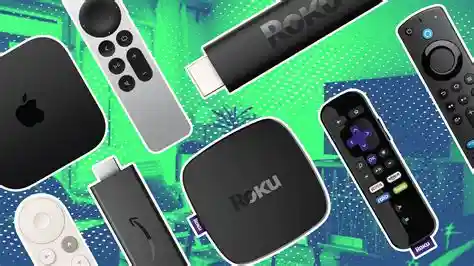
It’s worth putting the NOW stick in context against other well-known streaming devices on the Irish market. The Fire TV Stick 4K Max is a strong all-rounder if you want one device to handle NOW alongside other streaming apps, and its interface is generally quicker than most built-in smart TV menus.
If you’d rather have a remote with a simpler, less cluttered menu, the Roku Ultra is another solid option - Roku’s platform tends to be less pushy about promoting its own content over what you actually want to watch. Fire TV Cube and the Google TV Streamer are also worth a look if you’re shopping around.
Remote Control and Usability
The dedicated NOW stick’s remote is straightforward - a handful of buttons, a dedicated NOW button, and not much else to learn. Smart TV remotes vary wildly by brand, and some bury the NOW app several menu layers deep, which gets tiresome if you’re jumping in and out regularly.
Price Considerations
We’d rather not quote a specific price here, as promotional pricing and bundle deals for the NOW stick change fairly often. Check the current NOW website for the latest offer before deciding, since it’s sometimes bundled with a subscription at a discount.
Verdict: Is It Worth Buying Separately?
If your smart TV is a few years old, or you’ve noticed the built-in NOW app feeling slow, the dedicated stick is a worthwhile upgrade - it’s a small outlay for noticeably smoother viewing. If your TV is fairly new and its apps already run well, you probably won’t see enough of a difference to justify buying extra hardware.
For households wanting one device to handle NOW plus a broader range of Irish and UK streaming apps, a general-purpose device like Fire TV Stick or Roku Ultra is worth comparing before you commit.
Recommended for This Guide
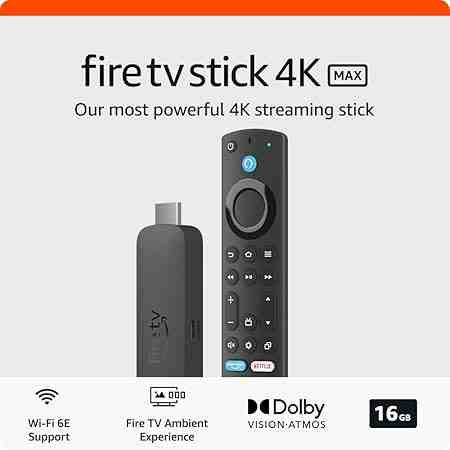
Fire TV Stick 4K Max
The higher-spec sibling of the standard 4K Stick — worth the extra cost if you want the fastest interface and Wi-Fi 6 support.
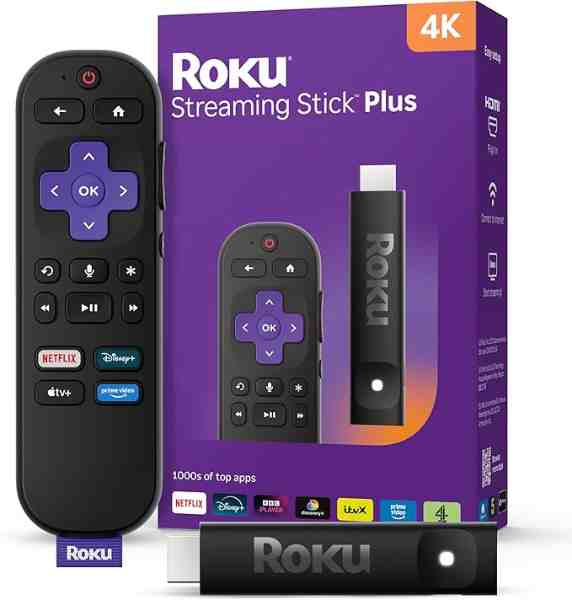
Roku Ultra
Roku's top-tier model — faster processor, Dolby Vision/Atmos support, and a lost-remote finder button, reviewed as the best of the Roku lineup.
As an Amazon Associate we earn from qualifying purchases. We may earn a small commission at no extra cost to you. Learn more.