
Disclosure: As an Amazon Associate we earn from qualifying purchases. This post contains affiliate links — if you buy through one, we may earn a small commission at no extra cost to you. Our product picks focus on items we can link to, so we may not cover every option on the market. See how we make money and how we choose them.
You can get TG4 Player by downloading the TG4 Player app from your TV’s own app store, where available, or by casting from your phone if your TV doesn’t carry the app. TG4 is a separate free-to-air channel and streaming service from RTÉ, so it isn’t bundled inside RTÉ Player.
Is TG4 Player on RTÉ Player?
No. TG4 and RTÉ are separate broadcasters with separate apps. If you want TG4’s live channel and catch-up shows, including GAA, Ladies football and other TG4 programming, you need the TG4 Player app or the TG4 website, not RTÉ Player. Both services are free to use, but you’ll need the TV licence for any TV set used for streaming, including a smart TV, which costs €160 a year per premises.
Finding TG4 Player on a smart TV
Smart TV app support for TG4 Player varies by TV brand and operating system, and can change over time. Rather than assume the app is built in, it’s worth checking TG4’s own website or help pages for its current list of supported smart TVs before you buy a new TV or spend time hunting through menus. The general steps, if your TV is supported, are:
- Open your TV’s app store or home screen search.
- Search for “TG4 Player”.
- Install the app and open it.
- Sign in if prompted, or browse straight away if the app allows guest viewing.
If your TV brand or model isn’t listed, casting from a phone or tablet is usually the reliable fallback, covered below.
Setting up TG4 Player on Fire TV
Whether TG4 Player is available to install on Amazon Fire TV or Fire TV Stick isn’t confirmed on TG4’s own website, so check with TG4 directly, or search for it in the Fire TV app store on your device, to see the current status.
If you’re setting up a Fire TV Cube for the first time, a guidebook such as this Fire TV Cube setup guide can help with the initial device pairing and remote setup before you start installing streaming apps.
Setting up TG4 Player on Android TV or Google TV
TG4’s own sources aren’t consistent on whether an Android TV app is currently live, so check TG4’s website for the latest status before searching for “TG4 Player” in the Google Play Store on your Android TV or Google TV device.
Setting up TG4 Player on Apple TV
TG4’s own sources aren’t consistent on whether a dedicated Apple TV app is currently live, so check TG4’s website or its Apple App Store listing for the current status. If no app is available when you check, casting from an iPhone or iPad (below) is the alternative.
Casting TG4 Player from a phone or tablet
If your TV doesn’t have a TG4 Player app available, you can usually still watch by:
- Opening the TG4 Player app or the TG4 website on your phone or tablet.
- Starting playback of the programme or live channel you want.
- Using the cast icon within the app, if one is available, to send it to a compatible TV or streaming device.
Casting support and exactly how it works depends on the app version and your TV or streaming device, so check TG4’s help pages for details on which casting methods it supports.
A quick word on your home setup
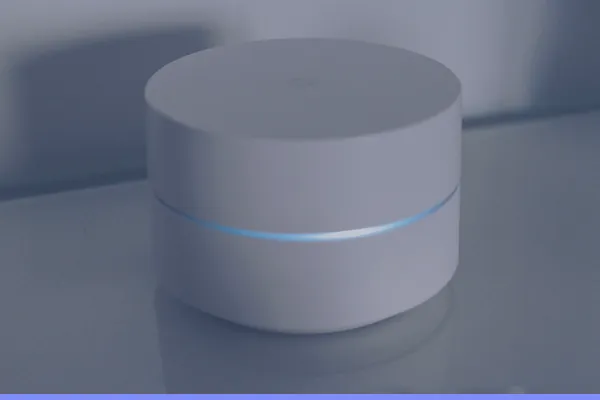
TG4 Player streams over your home broadband, so a stable connection matters more than which device you choose. If your TV sits far from your router, a dual-band or mesh system such as a mesh Wi-Fi kit can help keep playback steady, especially if other devices in the house are also streaming at the same time.
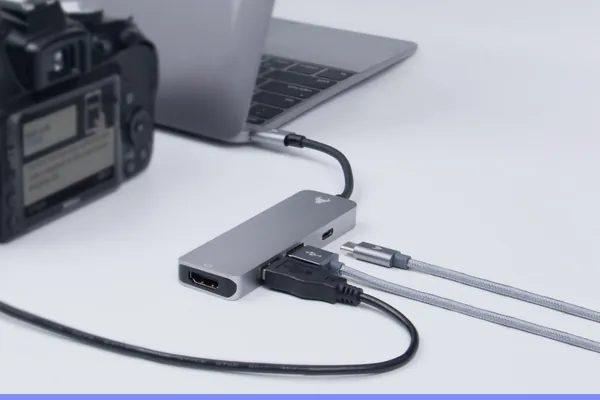
If you’re connecting a streaming box or games console to your TV for the first time, a solid, well-rated cable such as a certified HDMI 2.1 cable avoids picture dropouts that are sometimes mistaken for an app or broadband problem. And if your streaming devices and leads are piling up behind the TV, cable clips and a surge-protected extension lead can keep things tidy and safe.
Recommended for This Guide
UGREEN Certified HDMI 2.1 Cable (2 m)
Worth having a spare on hand — older bundled cables often bottleneck 4K/HDR playback.
Adjustable TV Wall Mount
Tilting/swivel mounts make it much easier to angle the screen for glare-free streaming, especially in bright rooms.
Fire TV Cube Simplified (setup guidebook)
A setup guidebook, not the Fire TV Cube itself: a plain-English guide to the Cube, handy if you're new to Alexa voice control and the Fire TV menus.
Mesh Wi-Fi System (2-pack)
A bigger upgrade than a single extender, but the most reliable fix for houses where streaming boxes are far from the router.
HDMI Extender Adapter
Useful when a streaming stick sits too close to a wall or cabinet and needs a bit of clearance for good Wi-Fi reception.
Cable Management Clips
Keeps HDMI and power cables tidy behind the TV — small, cheap, and makes the whole setup look a lot less chaotic.
Surge-Protected Extension Lead
Enough sockets for the TV, soundbar, router and streaming stick behind one cabinet, with surge protection for the lot.
As an Amazon Associate we earn from qualifying purchases. We may earn a small commission at no extra cost to you. See how we make money.
Frequently Asked Questions
Is TG4 Player free?
Can I watch TG4 Player outside Ireland?
Does TG4 Player show GAA and Ladies football live?
What do I do if TG4 Player isn't listed on my TV's app store?
Related
Read our full guide to legal streaming services in Ireland.
Price changes, new launches, and deals as they happen — Follow us on WhatsApp