
Disclosure: As an Amazon Associate we earn from qualifying purchases. This post contains affiliate links — if you buy through one, we may earn a small commission at no extra cost to you. Our product picks focus on items we can link to, so we may not cover every option on the market. See how we make money and how we choose them.
The short answer: decide which apps your house actually uses, check your TV has a free HDMI port and whether it’s 4K, then pick the device that runs those apps. Look at the regular price before Black Friday so you can tell whether a “deal” is real, and keep the receipt (or ask for a gift receipt) in case it needs to go back.
We don’t list prices on this page because they change from day to day over the sales. Check the current price on the retailer’s own page before you buy.
Which streaming device suits which household
A budget stick for an HD TV
If the TV is HD rather than 4K (a bedroom, kitchen or older living room set), you don’t need to pay for 4K. A basic stick such as the Amazon Fire TV Stick adds the main streaming apps to any TV with an HDMI port. Check the listing says it runs Fire OS, because Amazon’s newest HD stick runs Vega OS, which has fewer apps. Our budget streaming sticks guide compares the cheaper options.
A 4K stick for a 4K TV
For a 4K TV, the Fire TV Stick 4K Max is the safe Fire TV pick, because it runs Fire OS, which has the full range of apps. Amazon’s newest Fire TV Stick 4K runs its Vega operating system instead, and Vega has fewer apps (more on that below), so read the product listing carefully to see which version you’re getting.
A premium stick or box
The 4K Max is also Amazon’s highest-spec Fire TV stick, with Wi-Fi 6E support. See our Fire TV Stick 4K Max guide for whether the upgrade is worth it.
Google TV Streamer for Android and Google homes
The Google TV Streamer is Google’s current box. Google’s Irish store lists 4K HDR with Dolby Vision, 32 GB of storage and a built-in Ethernet port. It suits homes that already use Android phones and Google accounts. Note that Google says an HDMI 2.1 cable is needed and isn’t in the box. More in our Google TV Streamer guide.
Roku for a simple menu
The Roku Streaming Stick Plus has a plain, simple menu that suits less confident users. Roku says RTÉ Player is officially available on Roku in Ireland, and Virgin Media Play is in the Roku Channel Store. Check any other app you need there before you buy. Our Roku guide explains more.
Apple TV for Apple homes
The Apple TV 4K makes most sense if the house already uses iPhones, iPads and an Apple Account. Apple’s Irish page lists Gigabit Ethernet built in, works with HD and 4K TVs, and needs an HDMI cable, sold separately. We don’t have an affiliate link for it, so buy it wherever suits you. See our Apple TV 4K guide.
Streaming devices by household
Fire TV Stick 4K Max
The higher-spec sibling of the standard 4K Stick — worth the extra cost if you want the fastest interface and Wi-Fi 6 support.
Google TV Streamer
Google's current streaming box — 4K HDR, Dolby Vision, 32 GB storage, built-in Ethernet port and Google Cast. Replaced the discontinued Chromecast with Google TV.
Roku Streaming Stick Plus (4K)
One of the most straightforward remotes and menus of any streaming device — good pick for less tech-confident households.
Amazon Fire TV Stick
Amazon's standard streaming stick — a low-cost way to add the main streaming apps to any TV with an HDMI port.
As an Amazon Associate we earn from qualifying purchases. We may earn a small commission at no extra cost to you. See how we make money.
The Irish apps on each device
App lists change, so check each app before you buy rather than relying on any guide, this one included. Here’s what the app stores and broadcasters themselves say:
- RTÉ Player: listed under Apple TV in the Irish App Store, available for Android TV on Google Play (the store Google TV devices use) and listed in Amazon’s Appstore for Fire TV.
- Fire TV models on Vega OS: Amazon says it’s adding apps to Vega, but there are fewer than on Fire OS. Search Amazon’s Appstore for each app you use and check it lists your exact model.
- Roku: search Roku’s Channel Store for RTÉ Player, Virgin Media Play and TG4 Player before you buy.
- Virgin Media Play: Virgin Media’s own help page lists computers, Android and iOS phones and tablets, Virgin Media and Sky platforms and NOW. For a stick or box, check that device’s app store.
Check any paid or sport service you use the same way. Install apps only from the device’s own app store. For the full list of free Irish apps, see 5 free Irish streaming apps worth knowing.
What to check before you buy
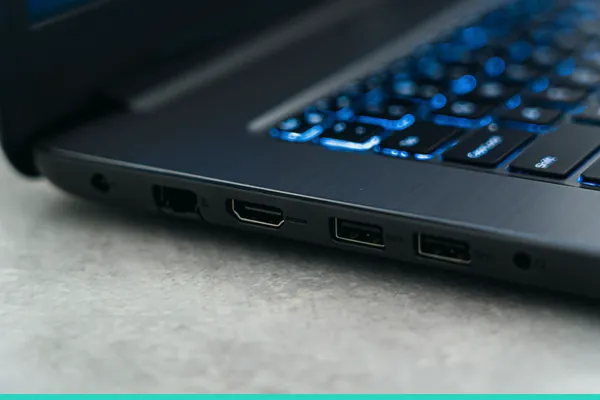
- A free HDMI port. Every stick and box plugs into one. If the ports are taken by a set-top box or games console, you’ll need to swap a cable or use a switch.
- Whether the TV is 4K. Apple, for example, says you need a 4K HDR TV to get 4K HDR. On an HD TV, a 4K device just shows HD, so don’t pay extra for nothing.
- An HDMI cable, if the box needs one. Google and Apple both say their boxes need an HDMI cable that’s sold separately. Sticks plug straight in.
- Wi-Fi where the TV is. If the router is at the other end of the house, live sport is where you’ll notice buffering. The Google TV Streamer and Apple TV 4K have an Ethernet port; most sticks need an adapter for a wired connection.
- Vega OS on new Fire TV models. As above, check your apps are available for the exact model.
- Room behind the TV. If a stick sits tight against the wall, a short HDMI extender gives it clearance.
Gift ideas
A streaming device isn’t the only option. If the house already has one, an extra that fixes a small annoyance often goes down better:
- A soundbar, because most flat TVs have thin sound. The compact soundbar is a simple upgrade.
- Wireless TV headphones, so one person can turn it up late at night without waking the house: wireless TV headphones.
- A remote cover, which makes the remote easier to find and harder to drop. The glow-in-the-dark covers fit one Fire TV remote model, so check which remote they have first.
- An Ethernet adapter for a Fire TV Stick that buffers during live sport: the Amazon Ethernet Adapter. Check Amazon lists it as compatible with their model.
Gift extras for the TV
Sharp HT-SB121 Compact Soundbar
TV speakers rarely do streaming audio justice. This 55 cm soundbar connects by HDMI ARC, so the TV remote can control the volume.

Wireless TV Headphones
Lets one person turn the volume up without disturbing the rest of the house — a favourite for late-night viewing and anyone hard of hearing.
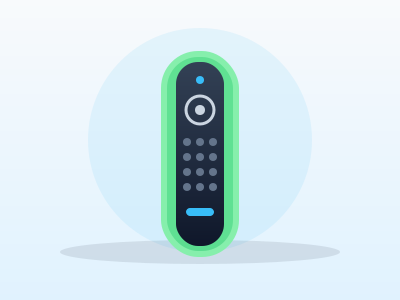
Glow in the Dark Remote Cover Case
Glow-in-the-dark covers for the Fire TV Alexa Voice Remote (3rd gen) — easier to find in a dark room and harder to drop.
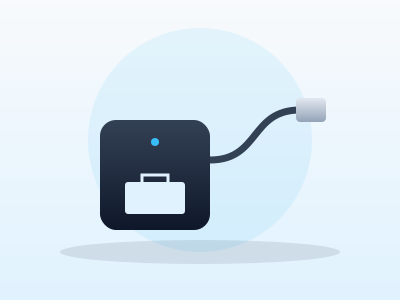
USB-C Ethernet Adapter for Fire TV Sticks
Gives a Fire TV Stick with a USB-C port a wired connection, the most reliable fix for buffering during live sport. Check your stick has USB-C before buying.
As an Amazon Associate we earn from qualifying purchases. We may earn a small commission at no extra cost to you. See how we make money.
How to tell a real deal from a fake one
- Know the regular price. Note the price of the device you want now, a few weeks before Black Friday, so you have something to compare with on the day. A big “save” label means little if you don’t know what it normally costs.
- Check the “was” price. Irish consumer rules say a sale price has to be genuine: according to the CCPC, the discount must be based on the lowest price the shop charged in the previous 30 days. If a “was” price looks high, it’s fair to ask the shop about it.
- Compare across retailers. Look at the same model in two or three Irish retailers, or on the maker’s own site, before you decide.
- Check the model and year. An older model on offer can look like a bargain next to the newer one. Make sure it’s the version you want, and that your apps run on it.
- Look at who’s selling it. On a marketplace, check the “sold by” and “dispatched from” lines. A third-party seller has its own returns policy and delivery times, and any return goes through them.
- Don’t buy just because a timer is counting down. If it’s the right device at a fair price, buy it. If not, it’ll be on offer again.
Returns over Christmas: your rights in Ireland
These points come from the Competition and Consumer Protection Commission (CCPC), the Irish consumer regulator:
- Bought online: you can cancel for any reason within 14 days of receiving the goods. The 14 days start when the parcel is delivered, not when the present is opened, so a device bought on Black Friday may be outside that window by Christmas Day.
- Bought in a shop: you don’t have a legal right to a refund or exchange just because you changed your mind. Many shops accept returns anyway, and some extend their returns period into January, but that’s their own policy. Check it before you buy and ask for a gift receipt.
- If it’s faulty: you’re entitled to a full refund if you contact the business within 30 days, without having to accept a repair or replacement. After that you may still be entitled to a repair, replacement or refund, and the CCPC says you’re protected for up to six years, with the strongest rights in the first year.
- Sale items: you have the same rights as at full price, and a faulty sale item is refunded at the price you paid.
- Gifts: you still need proof of purchase to return a gift. For a faulty item, a gift receipt, order confirmation email or card statement can count.
Setting it up on Christmas morning
A little preparation on Christmas Eve saves a lot of fiddling on the day:
- Have the Wi-Fi password ready, written down, not just saved on someone’s phone.
- Know which account it needs. Fire TV uses an Amazon account, Google TV a Google account and Apple TV an Apple Account. Have the login to hand, or set it up beforehand.
- Check the cables and batteries. Make sure there’s an HDMI cable for a box that needs one and batteries for the remote.
- Plug it in and let it update. New devices often download software the first time they’re switched on. Do it on Christmas Eve if you can, so it’s ready to go.
- Install the free Irish apps first. RTÉ Player, Virgin Media Play and TG4 Player cover the main Irish channels. Then sign in to services the house already pays for before paying for anything new. Our streaming prices tracker shows what each service costs.
- If it buffers, try moving the router or the stick, or use a wired connection. Our buffering fixes guide goes through the common causes.
Before you wrap it
UGREEN Certified HDMI 2.1 Cable (2 m)
Worth having a spare on hand — older bundled cables often bottleneck 4K/HDR playback.
HDMI Extender Adapter
Useful when a streaming stick sits too close to a wall or cabinet and needs a bit of clearance for good Wi-Fi reception.
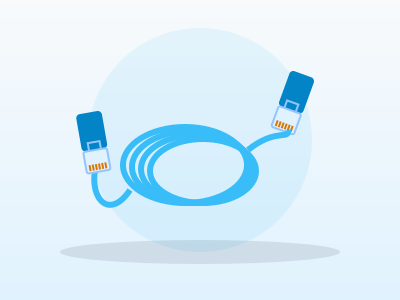
Long Ethernet Cable
A wired connection eliminates Wi-Fi buffering entirely if you can run a cable to your streaming device.
As an Amazon Associate we earn from qualifying purchases. We may earn a small commission at no extra cost to you. See how we make money.
Frequently Asked Questions
Is Black Friday the cheapest time to buy a streaming stick in Ireland?
Can I return a streaming device I bought on Black Friday if it isn't wanted at Christmas?
Do I need a 4K TV to use a 4K streaming stick?
Will RTÉ Player work on my new streaming device?
What extras should I buy with a streaming box?
Related
Compare every option in our streaming devices buying guide, or read our full guide to legal streaming services in Ireland.
Price changes, new launches, and deals as they happen — Follow us on WhatsApp