
Disclosure: As an Amazon Associate we earn from qualifying purchases. This post contains affiliate links — if you buy through one, we may earn a small commission at no extra cost to you. Our product picks focus on items we can link to, so we may not cover every option on the market. See our About page for how we choose them.
Streaming sticks have quietly become one of the handiest gadgets in Irish homes. They plug into the back of your telly, connect to your WiFi, and give you access to services like RTÉ Player, Netflix, Disney+, and Apple TV+ without needing a smart TV at all. If your telly is a few years old, or its built-in apps have gotten slow and clunky, a streaming stick under €100 can genuinely feel like an upgrade.
Below we look at three of the most popular options available to Irish buyers, what they actually do well, and how to get them set up without any hassle.
Why Bother With a Streaming Stick?
Even fairly recent smart TVs can struggle with slow processors, outdated apps, or missing services entirely. A dedicated streaming stick takes over the job of running apps, so your TV just becomes the screen. This usually means faster load times, more regular software updates, and access to the newest streaming apps as soon as they launch.
It’s also a handy fix for anyone who’s had trouble finding a particular app on their TV’s own store — plugging in a separate device with its own app store can resolve that instantly.
1. Fire TV Stick 4K Max
Amazon’s higher-end stick is one of the most consistently recommended options for Irish streaming setups, and it’s easy to see why. The Fire TV Stick 4K Max supports 4K Ultra HD and HDR, has enough processing power to feel snappy when switching between apps, and includes WiFi 6 support, which helps if you’ve got a newer router and a busy household with lots of connected devices.
Setup is straightforward: plug it into an HDMI port, connect the included power cable, and follow the on-screen prompts to sign in with an Amazon account and connect to your home WiFi. From there, you can download RTÉ Player, Netflix, Disney+, Apple TV+, and most other major Irish and international apps directly from the on-screen app store.
One thing worth checking after setup is that your Amazon account’s country setting matches Ireland, as this affects which apps and content rows appear on the home screen by default. This can usually be checked or corrected in the account settings menu on the device itself, or via Amazon’s own help pages if something looks off.
2. Roku Ultra
The Roku Ultra is a strong choice for anyone who wants a simple, no-fuss interface that doesn’t push one particular streaming service over another. Unlike some competitors, Roku’s home screen is fairly neutral, just a grid of app icons, which some users find easier to navigate.
The Ultra model supports 4K and HDR playback and typically includes a more premium remote with a headphone jack for private listening, along with better WiFi hardware than Roku’s cheaper models. It’s a good pick for larger homes where the streaming device might sit a bit further from the router.
Setup involves connecting it to power and HDMI, then creating or signing into a Roku account through your phone or computer, as the on-screen setup often asks you to visit a short web link to finish account linking. Once done, Irish apps like RTÉ Player and Virgin Media Play (availability may vary, so it’s worth checking the Roku Channel Store directly) can be added from the channel store.
3. Google TV Streamer (or your TV’s built-in casting)
Google discontinued its Chromecast sticks in 2024. Its current device, the Google TV Streamer, is a small box with a remote, the Google TV home screen and casting built in. It isn’t the cheapest option here, but it’s a good fit for Android households.
If you mainly stream from a phone or tablet, check first whether your TV supports Google Cast or AirPlay already. Many recent smart TVs do, so you can cast from each person’s own phone without buying anything, and nobody has to sign into every app on the shared TV.
Getting the Best Performance
Regardless of which stick you choose, a few basics make a noticeable difference:
- Keep the device’s software updated, as this often improves streaming quality and fixes bugs.
- Restart the stick occasionally, especially if apps start loading slowly.
- Use a router positioned as close to line-of-sight with the TV as possible, or consider a WiFi extender if buffering is a regular issue.
Which One Should You Choose?
If you want the most powerful all-rounder with strong app support, the Fire TV Stick 4K Max is hard to beat. If you prefer a clean, brand-neutral interface, the Roku Ultra is a great alternative. And if you live in Google’s ecosystem, the Google TV Streamer is worth a look — or use your TV’s built-in casting if it has it.
Prices and exact specs can shift over time, so it’s worth double-checking current pricing and features on the retailer’s page before buying.
Recommended for This Guide
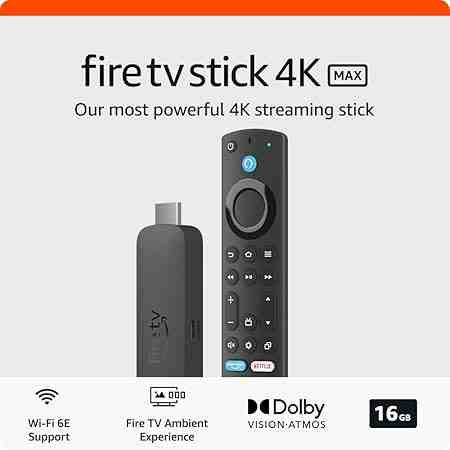
Fire TV Stick 4K Max
The higher-spec sibling of the standard 4K Stick — worth the extra cost if you want the fastest interface and Wi-Fi 6 support.
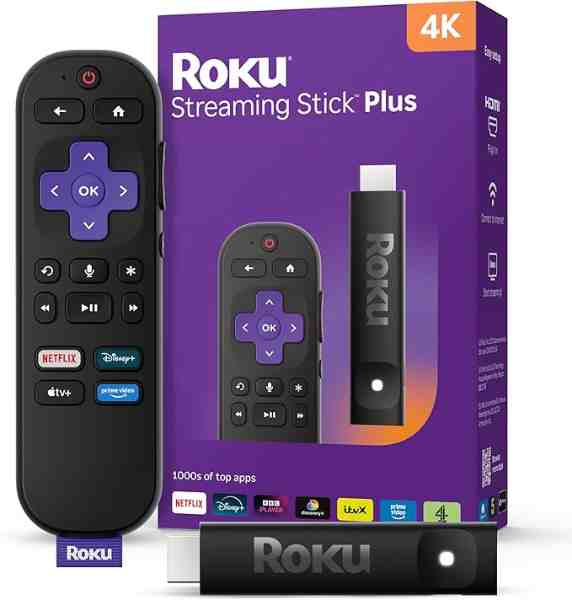
Roku Ultra
Roku's top-tier model — faster processor, Dolby Vision/Atmos support, and a lost-remote finder button, reviewed as the best of the Roku lineup.
As an Amazon Associate we earn from qualifying purchases. We may earn a small commission at no extra cost to you. Learn more.