Disclosure: As an Amazon Associate we earn from qualifying purchases. This post contains affiliate links — if you buy through one, we may earn a small commission at no extra cost to you. Our product picks focus on items we can link to, so we may not cover every option on the market. See our About page for how we choose them.
Virgin Media 360 Box Review: Is It Still Worth It?
The Virgin Media 360 Box has been around for a good few years now, bundled into many Irish broadband and TV packages as the default set-top box. But with streaming habits changing fast, it’s worth asking whether the 360 Box still earns its place under the telly, or whether it’s time to look elsewhere.
What the 360 Box Does Well
The main selling point of the 360 Box is integration. It combines your normal TV package with apps like Netflix, Disney+, and Prime Video in one interface, so you’re not constantly switching inputs. For households that want a single remote and a single menu to manage everything, that’s genuinely convenient.
Voice search is another plus. Being able to search across live TV and some streaming apps at once saves a bit of hassle, especially for less tech-confident family members who just want to find something to watch without navigating multiple apps.
The catch-up and recording functionality is also solid for a bundled box. If you’re already paying for Virgin Media TV, you’re not paying extra for this layer of smart features, which is a fair value proposition on paper.
Where It Starts to Show Its Age
The interface itself is the biggest sticking point. It can feel sluggish compared to newer streaming platforms, particularly when switching between apps or loading anything graphically heavy. Menus that once felt modern now feel a step behind competitors.
App support is the other issue. Not every streaming service gets full native support on the 360 Box, and updates to existing apps can lag behind what you’d get on a dedicated streaming device. If you’re someone who wants the very latest features from services like Apple TV+ or newer niche apps, you may find the 360 Box slower to catch up, or missing certain apps entirely.
There’s also the question of hardware speed. The processor inside the 360 Box simply isn’t built for the demands of 2024 streaming, where 4K content and richer app interfaces are increasingly standard.
How It Compares to Dedicated Streaming Devices
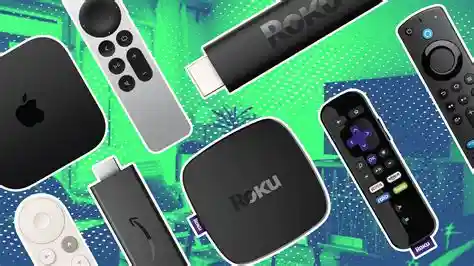
This is where things get interesting. A dedicated streaming device bought separately can often outperform the 360 Box for pure streaming purposes, even if it means juggling a second remote.
The Fire TV Stick 4K Max is a good example. It’s compact, supports 4K where your broadband and content allow, and generally feels snappier navigating between apps than the 360 Box does. For anyone who mostly watches via streaming apps rather than live TV, it’s a noticeably smoother experience.
If you’d prefer a platform with a simpler, less cluttered interface, the Roku Ultra is worth considering too. Roku’s menu system is famously straightforward, and it tends to get new app support quickly, which matters if you like trying newer streaming services as they launch in Ireland.
Other options worth a mention for completeness include the Fire TV Cube for those who want more power and voice control, or Chromecast if you mostly prefer casting from a phone or tablet rather than using an on-box interface directly.
Is It Still Worth Keeping?
If your household relies heavily on live TV, recording, and Virgin Media’s bundled features, the 360 Box still does a reasonable job holding everything together in one place. The convenience factor shouldn’t be dismissed, especially for less tech-savvy users in the house.
However, if streaming apps are your primary use case and you’re finding menus slow or app support patchy, pairing your existing TV package with a separate streaming device makes sense. You don’t need to give up the 360 Box entirely, just plug in a Fire TV Stick or Roku Ultra to a spare HDMI input and switch over when you want a quicker streaming experience.
Final Verdict
The 360 Box isn’t bad, but it’s not keeping pace with dedicated streaming hardware anymore. For live TV and bundled simplicity, it still has a role. For streaming specifically, a modern device will likely feel faster and more future-proof. Many Irish households end up running both side by side, which is a perfectly reasonable compromise rather than an all-or-nothing decision.
Related guides: How to Set Up Virgin Media Play on a Samsung Smart TV · Virgin Media Unveils New Streaming Bundle for 2026
Recommended for This Guide
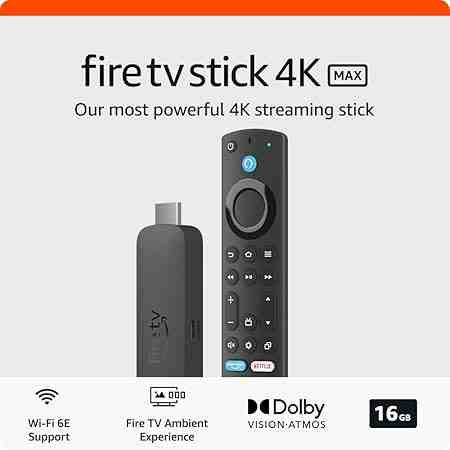
Fire TV Stick 4K Max
The higher-spec sibling of the standard 4K Stick — worth the extra cost if you want the fastest interface and Wi-Fi 6 support.
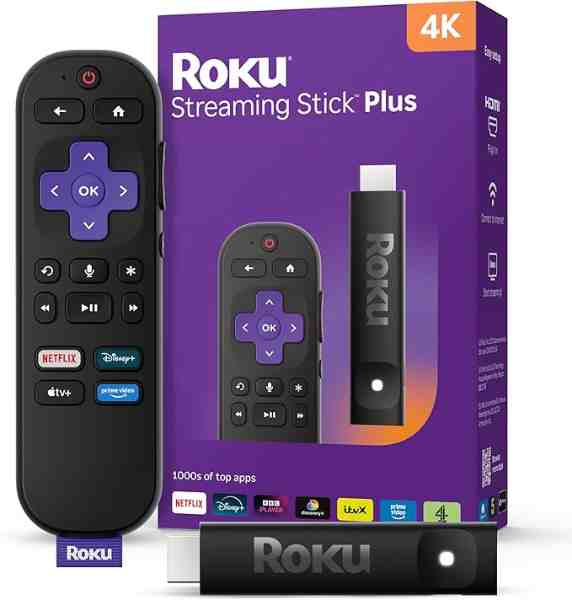
Roku Ultra
Roku's top-tier model — faster processor, Dolby Vision/Atmos support, and a lost-remote finder button, reviewed as the best of the Roku lineup.
As an Amazon Associate we earn from qualifying purchases. We may earn a small commission at no extra cost to you. Learn more.